

Publishing
Publishing puts a post or a page on the public site, now or at a time you set. Each one has an address made from its title, and “Redirects”, under “Content”, keeps an old address working after it changes.
Publishing now
Section titled “Publishing now”In the editor, press “Publish”. The post has to have something in it first. An empty one gets “Add content before publishing: this is still empty.”
Once it is published, the button says “Update”. A published post or page has no separate draft: the editor’s saves go to the published post, so readers see an edit a moment after you make it. To work on it out of sight, take it off the site first, or duplicate it and work on the copy.
“Unpublish”, in the “…” menu beside it in the list, turns it back into a draft and takes it off the site. “Publish” in the same menu puts a draft out without opening it.
Publishing later
Section titled “Publishing later”Open “Settings” in the editor, set “Publish at” to a date and time, and press “Publish”. Until that time the post stays off the site. Its address answers 404, and it is not on the home page, in the feed or the sitemap, in its category, in a menu, or in the content API. The list shows it under “Published”, marked “Scheduled”, and so does its language chip in the editor. When the time comes it appears on its own, with nothing to press.
“Publish at” is read in your device’s time zone. The list shows dates in the site’s time zone, which it names in brackets beside each date.
A draft keeps the date you set, so you can choose it now and press “Publish” another day. To publish on the planned date, press “Publish” in the editor; “Publish” in the list publishes at once and drops the planned date. Left blank, “Publish at” means now. A date that has already passed publishes the post at once, dated then.
On a post that is already published, a new “Publish at” takes effect with the next autosave, and a later date takes it off the site until then.
The same “Publish at” is in a page’s settings, and works the same way.
Addresses
Section titled “Addresses”A post lives at /en/blog/ or /th/blog/ followed by its slug, and a page at /en/ or /th/ followed by its slug. The slug comes from the title, in the title’s own language. A Thai title gets a Thai address, with a hyphen between each pair of words, and browsers show it in Thai. Type a Latin one into “URL name” in the settings if you prefer.
When it is saved, a slug is tidied into lower-case letters, digits, Thai and single hyphens. A blank one is made from the title again. Two posts in the same language cannot share an address, and neither can two pages, so a save that would do that fails until you change one of them.
When an address changes
Section titled “When an address changes”Change the slug of a post or page that is published or scheduled, and its old address keeps working. It answers with a permanent redirect (301) to wherever the post is now, however many times it has moved since, so links others shared and search engines both follow it.
A redirect only takes a reader somewhere while the post is on the site. While it is a draft or waiting for its date, the old address answers 404 like the new one. When the post is deleted, its old addresses go with it.
The Redirects screen
Section titled “The Redirects screen”“Redirects”, under “Content”, lists every old address, the post or page it leads to and where that is now, and the date it was recorded. A post or page that is not on the site at the moment shows “Not published yet, so this address shows a Not Found page for now.” The bin button beside a row stops that address redirecting.
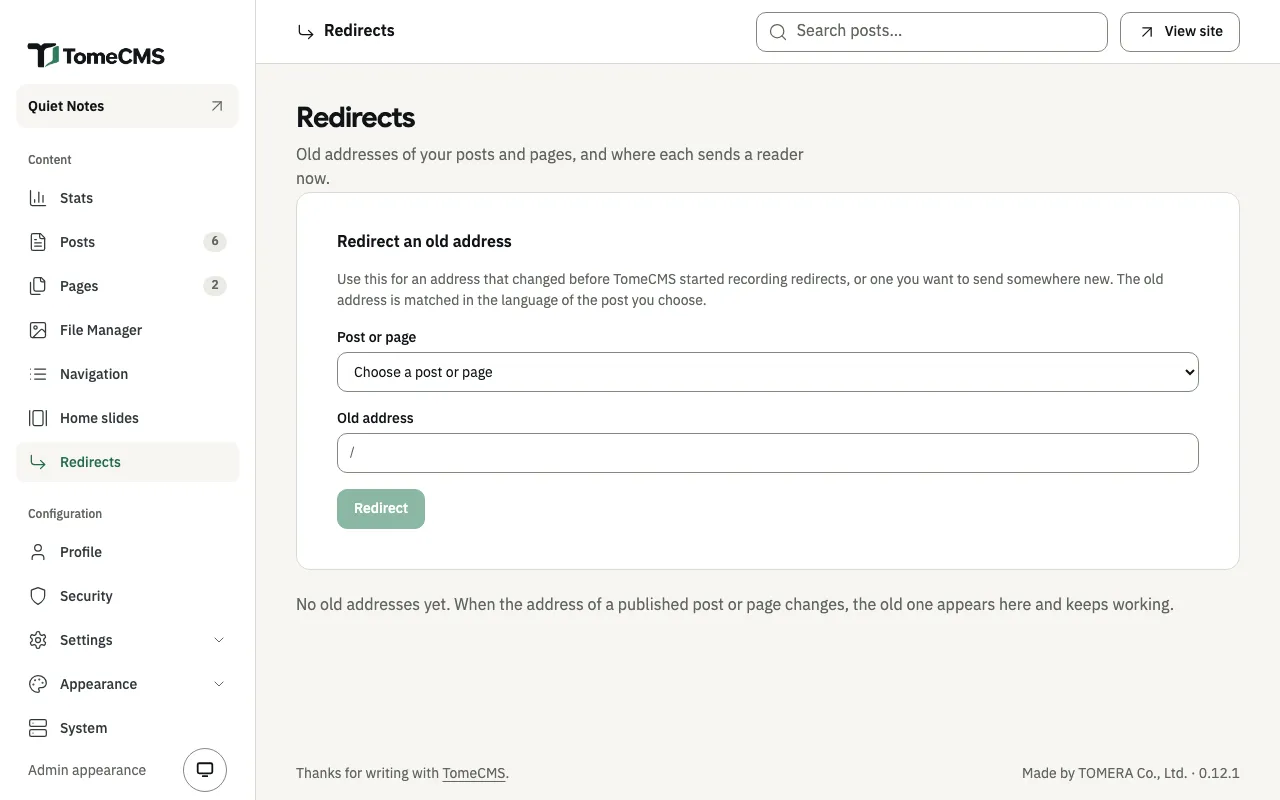
“Redirect an old address” adds one by hand, for an address that changed before TomeCMS started recording redirects, or one you want to send somewhere new:
- Under “Post or page”, choose the post or page. Each is listed with its language, such as
EN · About. - Under “Old address”, type the old slug after the path the field shows, such as
/en/blog/. The old address is matched in the language of the post or page you choose. - Press “Redirect”.
The admin refuses an old address that a post of yours already has in that language (for a page, one of your pages), and one with anything other than lower-case letters, Thai, digits and single hyphens. An old address that already redirects somewhere is pointed at the post or page you chose instead.